
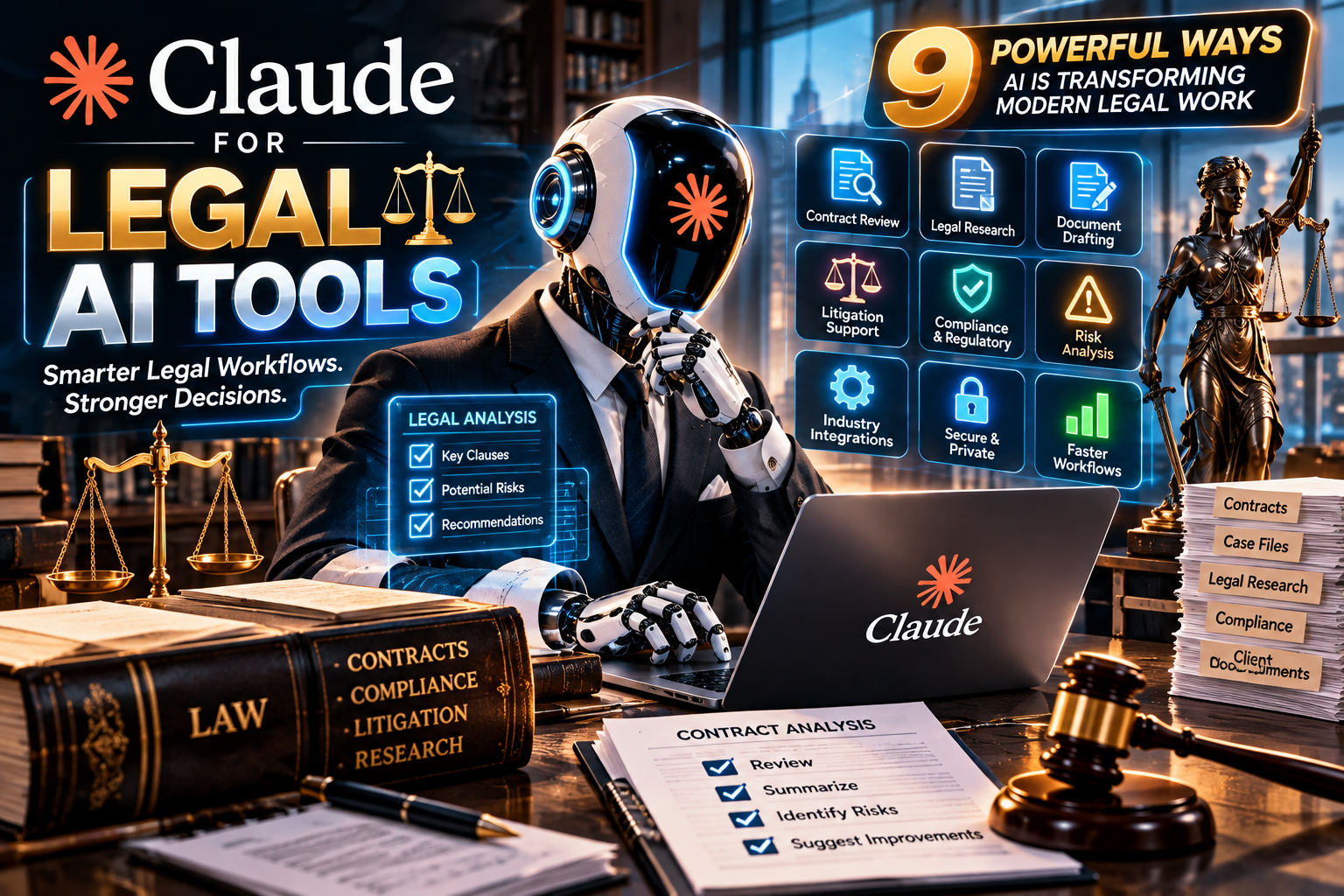
The legal profession is experiencing a major technological shift. Law firms and corporate legal departments manage thousands of pages of contracts, research materials, case documents, compliance records, and client communications. Handling these responsibilities manually can consume valuable time and make routine work difficult to manage efficiently.
Artificial intelligence is introducing new ways to organize information, analyze documents, and support professional workflows. Among the emerging options, Claude for Legal AI Tools has attracted attention because of its ability to work with complex information, assist with drafting, and support multi-step knowledge tasks.
Developed by Anthropic, Claude is a family of AI models designed to understand and generate language, analyze information, and assist with a wide range of professional activities. Anthropic has also introduced legal-industry integrations and practice-area plugins intended to connect Claude with the systems legal teams already use.
The growing interest in Claude for Legal AI Tools reflects a broader change: legal technology is moving beyond simple chatbots toward connected workflows that can help professionals manage complex tasks. However, AI-generated work still requires legal expertise, verification, and human judgment.
This guide explores its major capabilities, practical applications, benefits, limitations, and responsible implementation strategies.
1. What Is Claude for Legal AI Tools?
Claude for Legal AI Tools refers to the use of Anthropic’s Claude models and legal-focused integrations to support legal research, contract analysis, document drafting, litigation preparation, compliance activities, and other professional workflows.
It is important to understand that Claude is not a single standalone legal research database. It is an AI assistant that can be used through different products and integrations. Depending on the organization’s setup, legal professionals may use Claude chat, Claude Cowork, API-based applications, connectors, and practice-specific plugins.
The legal industry requires more than general text generation. Lawyers need to understand context, identify important clauses, compare documents, organize evidence, and review information against applicable rules. Claude for Legal AI Tools can support these activities when it is provided with suitable information and clear instructions.
Anthropic’s legal-industry announcement describes connectors for legal software and plugins designed around practice areas such as commercial law, corporate law, employment, privacy, regulatory work, intellectual property, and litigation.
Read the official announcement: https://claude.com/blog/claude-for-the-legal-industry
2. Contract Review and Agreement Analysis
Contract review is one of the most practical applications of AI in legal operations. Lawyers frequently examine service agreements, vendor contracts, non-disclosure agreements, employment agreements, licensing terms, and commercial documents.
Claude for Legal AI Tools can assist with reviewing contract language, identifying important provisions, and summarizing potential concerns for further examination.
For example, a legal professional may provide a contract and ask Claude to:
- Identify termination and renewal provisions.
- Summarize payment obligations and deadlines.
- Highlight indemnification clauses.
- Locate limitation-of-liability language.
- Compare confidentiality obligations.
- Identify missing or inconsistent provisions.
A lawyer could also ask the assistant to compare a supplier agreement against an internal contract playbook. This can help reveal where the document differs from the organization’s preferred terms.
However, the output should be treated as an initial review rather than a final legal conclusion. Contract interpretation depends on jurisdiction, surrounding facts, negotiation history, and the complete agreement.
3. Legal Research and Case Preparation
Legal research involves finding relevant legislation, judicial decisions, regulations, and authoritative commentary. It also requires checking whether a source remains valid and applies to the issue being considered.
Claude for Legal AI Tools can help legal professionals structure research questions, summarize supplied legal materials, organize arguments, and identify issues that require further investigation.
Consider a lawyer preparing for a commercial dispute. The lawyer might use Claude to create a research outline covering:
- Relevant legal questions.
- Facts that need verification.
- Possible arguments from each side.
- Authorities that should be located.
- Issues requiring jurisdiction-specific analysis.
The assistant can also summarize documents supplied by the legal team and turn lengthy materials into structured notes.
Nevertheless, AI-generated case names, quotations, citations, and legal propositions must never be accepted without checking the original sources. A professional should confirm every authority through a reliable legal database or official court publication.
For ethical guidance, consult the American Bar Association’s Formal Opinion 512 announcement: https://www.americanbar.org/news/abanews/aba-news-archives/2024/07/aba-issues-first-ethics-guidance-ai-tools/
4. Litigation Preparation and Document Organization
Litigation can involve large collections of emails, contracts, witness statements, financial records, transcripts, and other evidence. Organizing these materials is often time-consuming.
Claude for Legal AI Tools can support litigation preparation by helping teams summarize supplied documents, create chronologies, extract key events, and organize information into useful categories.
For instance, a legal team handling a business dispute could ask Claude to prepare a timeline from a collection of approved case documents. The output might identify dates, people involved, communications, and events that need further review.
Other potential tasks include:
- Summarizing deposition transcripts.
- Organizing witness-related information.
- Preparing initial document summaries.
- Creating issue-based evidence lists.
- Drafting preliminary case outlines.
- Preparing questions for attorney review.
The value is not that AI decides who should win a case. Instead, it can help legal professionals navigate large amounts of information more efficiently.
Claude for Legal AI Tools should remain a supporting layer in litigation workflows, with attorneys responsible for reviewing evidence, assessing credibility, and making strategic decisions.
Read more: about zarovviraf153: A Practical Guide to Researching an Unknown Online Phrase
5. Legal Document Drafting and Editing
Legal writing requires accuracy, consistency, and careful attention to language. A small wording difference can change the meaning of a clause or create uncertainty about an obligation.
Claude for Legal AI Tools can help prepare first drafts, improve readability, reorganize arguments, and identify unclear language.
Examples of documents that may benefit from AI-assisted drafting include:
- Initial contract drafts.
- Internal legal memoranda.
- Policy documents.
- Client communication drafts.
- Compliance summaries.
- Non-disclosure agreement templates.
- Preliminary litigation outlines.
A lawyer could provide an existing document and request a clearer structure, a more formal tone, or a summary of the key obligations. The assistant can also help convert complex information into plain-language explanations for business stakeholders.
The final document must still be checked against the relevant law, approved templates, client instructions, and firm standards. Claude for Legal AI Tools can accelerate the drafting process, but professional responsibility for the final work remains with the lawyer.
6. Compliance, Privacy, and Regulatory Monitoring
Businesses operate under changing legal and regulatory requirements. Legal departments may need to review policies, assess vendor agreements, manage privacy documentation, and track regulatory developments.
Claude for Legal AI Tools can assist with organizing regulatory information and comparing supplied documents against internal policies or compliance checklists.
Possible applications include:
- Reviewing data processing agreements.
- Summarizing privacy impact assessments.
- Identifying policy gaps.
- Organizing regulatory updates.
- Preparing compliance checklists.
- Drafting initial internal policy language.
Anthropic’s legal-industry announcement describes practice-area plugins covering privacy legal work, regulatory legal tasks, AI governance, and product legal reviews.
These workflows can be useful for teams that need to manage large amounts of policy and regulatory information. However, legal requirements vary across countries and industries. An AI-generated compliance summary does not establish that a business is legally compliant.
7. Legal Industry Integrations, Connectors, and Plugins
A major development in professional AI is the move from isolated chat interfaces toward connected business systems. Legal teams already work with document management platforms, contract lifecycle management systems, research services, e-discovery tools, and internal knowledge repositories.
Claude for Legal AI Tools can become more useful when it is connected to approved systems through integrations and connectors.
Anthropic announced more than 20 MCP connectors and 12 practice-area plugins for legal work in its May 2026 legal-industry update. These integrations are intended to connect Claude with legal software and package workflows around different legal responsibilities.
Some examples of practice areas described in the announcement include:
- Commercial legal operations.
- Corporate transactions and M&A.
- Employment law workflows.
- Privacy and data protection.
- Intellectual property.
- Regulatory legal work.
- Litigation preparation.
- AI governance.
Learn more through the official legal-industry announcement: https://claude.com/blog/claude-for-the-legal-industry
For law firms, integrations may reduce the need to move information manually between separate applications. However, access permissions, security configuration, and data governance must be carefully reviewed before connecting sensitive systems.
8. Benefits for Law Firms and Legal Departments
The potential benefits of Claude for Legal AI Tools are not limited to generating text. Its usefulness depends on how well it fits into an organization’s existing processes.
Faster handling of routine work
Summarizing long documents, preparing outlines, and organizing information can take considerable time. AI assistance may help reduce the manual effort involved in these tasks.
More organized information
Legal teams can use structured prompts to turn large collections of information into summaries, timelines, tables, and issue lists.
Support for consistent workflows
When a firm uses approved templates and review checklists, AI-assisted workflows can help employees follow a more consistent process.
Better preparation for professional review
A preliminary document summary or issue list can give a lawyer a useful starting point before conducting a detailed review.
Improved collaboration
Connected tools and shared workflows may help teams organize information across departments, provided that access controls are correctly configured.
Ultimately, Claude for Legal AI Tools can help legal teams focus more attention on analysis, strategy, and client service instead of spending all their time on repetitive administrative activities.
9. Privacy, Confidentiality, and Responsible AI Use
Legal work frequently contains sensitive information, including client identities, financial records, business strategies, personal information, and confidential communications. Uploading such material into an AI service without reviewing its data terms can create serious risks.
Before adopting Claude for Legal AI Tools, a law firm should examine the product configuration, contractual terms, data retention settings, access controls, and applicable privacy obligations.
Anthropic explains its approach to legal-work confidentiality and product configuration in its Claude legal-work privacy guidance: https://support.claude.com/en/articles/15707726-using-claude-for-legal-work-privilege-confidentiality-and-how-to-think-about-configuration
Important safeguards include:
- Use an organization-approved account and configuration.
- Review commercial terms and data-processing agreements.
- Avoid entering confidential client information into unapproved environments.
- Apply role-based access controls.
- Establish clear rules for document uploads and retention.
- Require lawyers to review AI-generated work.
- Check applicable client-consent and professional obligations.
Claude for Legal AI Tools should be deployed only after the organization has evaluated whether the selected configuration is appropriate for the information being processed.
The American Bar Association’s AI ethics guidance highlights professional duties involving competence, confidentiality, communication, and reasonable fees. These responsibilities remain important when using AI.
10. Limitations and Risks Lawyers Should Understand
Despite its capabilities, Claude for Legal AI Tools has limitations that legal professionals must understand before relying on its output.
Incorrect legal information
AI systems can produce inaccurate statements, outdated information, or fabricated legal citations. Every legal authority must be independently verified.
Jurisdictional differences
A legal principle that applies in one country or state may not apply elsewhere. The assistant needs accurate jurisdictional context, and the lawyer must confirm the applicable law.
Missing context
A document may contain only part of the information needed to understand a dispute or agreement. AI summaries can overlook important facts when the source material is incomplete.
Confidentiality risks
Incorrect account settings or unsuitable product configurations may expose sensitive information to risks that an organization has not approved.
Bias and inconsistent interpretation
AI-generated summaries may reflect limitations in the supplied material or the model’s interpretation. Important decisions should not be based on an unverified AI response.
Professional accountability
Lawyers remain responsible for their advice, filings, client communications, and professional conduct. AI cannot take over those obligations.
The central principle is simple: Claude for Legal AI Tools can assist legal professionals, but it cannot replace their independent judgment, professional duties, or responsibility for the final result.
11. How to Start Using Claude in a Legal Workflow
Law firms do not need to automate every department at once. A controlled pilot is often a more practical starting point.
A simple implementation approach could follow these stages:
Step 1: Identify a suitable task
Choose a repetitive, low-risk workflow, such as summarizing non-confidential documents or preparing internal research outlines.
Step 2: Select the right product configuration
Review the available Claude products, organization plans, connectors, and integrations. Confirm that the selected configuration meets the firm’s security and compliance requirements.
Step 3: Create approved prompts
Develop standard instructions for summaries, document comparisons, clause identification, and drafting support.
Step 4: Establish human review
Assign a qualified lawyer to check important outputs, verify legal authorities, and approve documents before they are used.
Step 5: Measure performance
Track time saved, error rates, review effort, consistency, and feedback from legal professionals.
Step 6: Expand carefully
Only introduce additional workflows after the pilot demonstrates that the system is useful, secure, and manageable.
A measured rollout helps organizations understand where Claude for Legal AI Tools adds genuine value and where traditional legal research or specialist software remains necessary.
Read more: No Subscriptions, No Hidden Fees: Ordering on Your Own Terms
12. The Future of AI in Legal Services
The next phase of legal technology is likely to involve more connected workflows, specialized assistants, and systems that can coordinate tasks across approved applications.
Anthropic’s legal-industry developments indicate a direction toward practice-area plugins, MCP connectors, and more customized legal workflows. These developments could make AI more useful for tasks such as contract lifecycle management, regulatory analysis, due diligence, and litigation preparation.
The expansion of Claude for Legal AI Tools also raises important questions about professional training, accountability, client expectations, and the responsible use of automation.
Law firms that understand both the benefits and limitations of AI may be better prepared to evaluate new technology. However, successful adoption will depend on more than choosing a capable model. It will require secure systems, clear policies, reliable source verification, and qualified human supervision.
Legal technology should make professional work more efficient without weakening the standards that protect clients and the justice system.
Conclusion
Artificial intelligence is becoming an increasingly important part of modern legal operations. From contract review and document drafting to litigation preparation, compliance support, and connected legal workflows, Claude offers several ways to assist professionals with demanding information-based tasks.
The growing ecosystem around Claude for Legal AI Tools shows how AI assistants are developing beyond basic question-and-answer interfaces. Connectors and practice-area plugins may help legal teams integrate AI into the software and processes they already use.
Nevertheless, accuracy, confidentiality, jurisdictional requirements, and professional accountability must remain central to every implementation. Lawyers should verify legal authorities, protect client information, and review AI-generated work before relying on it.
Used carefully, Claude for Legal AI Tools can become a valuable assistant for legal professionals—not a replacement for lawyers, but a technology that helps them organize information, improve workflows, and devote more attention to meaningful legal work.
Additional Practical Considerations
A successful rollout of Claude for Legal AI Tools should begin with clearly defined responsibilities. Each team should know which documents can be processed, which workflows require approval, and who is responsible for checking the results.
For small firms, Claude for Legal AI Tools may be useful for preparing first drafts and organizing internal notes. Larger organizations may explore Claude for Legal AI Tools through approved enterprise integrations and structured workflows.
Before expanding Claude for Legal AI Tools, firms should test its performance on representative documents. They should also compare the results with their existing review process.
Training is another important part of adoption. Employees using Claude for Legal AI Tools should understand prompt design, source verification, confidentiality, and the limits of generated answers.
A documented policy for Claude for Legal AI Tools can explain permitted tasks, restricted information, approval requirements, and escalation procedures. This makes Claude for Legal AI Tools easier to manage across different teams.
Legal departments can evaluate Claude for Legal AI Tools by measuring review time, accuracy, consistency, and the amount of human correction required. These measurements help determine whether Claude for Legal AI Tools is genuinely improving a workflow.
For contract teams, Claude for Legal AI Tools can support clause identification and comparison. For litigation teams, Claude for Legal AI Tools can help organize supplied evidence and prepare initial chronologies.
For compliance professionals, Claude for Legal AI Tools can help structure policy reviews and regulatory summaries. For corporate legal teams, Claude for Legal AI Tools may support due-diligence preparation and document organization.
The best results from Claude for Legal AI Tools come from combining clear instructions with reliable source material. Firms should not treat Claude for Legal AI Tools as an independent authority on the law.
Human supervision should remain part of every high-impact workflow involving Claude for Legal AI Tools. Lawyers must verify important findings before using them in advice, negotiations, or court filings.
Organizations should also review their approved data settings before using Claude for Legal AI Tools with confidential information. Access controls and retention policies are essential safeguards.
As legal technology evolves, Claude for Legal AI Tools may become part of a wider ecosystem of connected professional applications. Careful implementation will determine whether these capabilities deliver meaningful improvements.
